Tag: glassfish

  • Glassfish, jmx, jconsole, apps active sessions

    We put lately more attention to monitoring and tuning our systems – mainly db.  I tried to refresh in mind how to check active sessions on jvm for specified app. I’ve experimented with VisualVM, but it didn’t satisfied me. I simply does not work out-of-the-box. After registering jmx remote host, I could not expand apps list…

    I need something more standard and working then that. I’ve run “jconsole”  (attached to each jdk copy).

    Then I’ve connected to:  myFavouriteAppsserver.com:8686

    and under the path: com.sun.appserv/Manager/myAwesomeAppName/server/Attributes

    I’ve found to variables: activeSessions and sessionCount. Take a look

  • Glassfish ESB, Resolving “localhost” in WSDL

    I wrote an composite application with webservice as entrance endpoint for client system. When I was previewing the wsdl file I’ve notice there is only host name without full domain name(as it is in DNS servers) give in schema location and webservice endpoint.  That was obviously wrong, because client would not be able to resolve those adresses. I remember I had this issue one in the past. After a talk with my friend I’ve decided to search resolution with operation system Solaris 10 then with application server.

    The resolution of this problem is easy and strange. Maybe because Glassfish is very sensitive?

    1. Let’s say my host is called tiger. My domain name is mycompany.com. In schema address I saw:
      schemaLocation=”http://tiger:9080/myAwesomeWebservice/schema.xsd”
      and it should be
      schemaLocation=”http://tiger.mycompany.com:9080/myAwesomeWebservice/schema.xsd”
      something was missing.
    2.  To fix this you should edit /etc/hosts and change order of strings
      before I’ve got:
      127.0.01 tiger tiger.mycompany.com
      after I’ve got:
      127.0.0.1 tiger.mycompany.com tiger

    That fixed my problem. I hope it won’t break anything else. I suppose only glassfish is so strict about the names of hostname.

  • Glassfish 3.1 on my box

    It is online only when my box is turned on. I might have bought quiet pinwheel for it. johnnyjava.dyndns.org (I’ve noticed funny feature of my wordpress engine, that it is crosses out the link when my server is turned off)
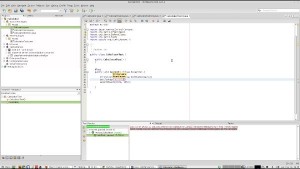
  • Unit testing EJB 3.1 in Netbeans 6.9.1


    Unit testing EJB 3.1
    I was talking to one of my friends (spring is always better then anything – type) and he was laughing that there is a serious problem with testing EJB. So I found a tutorial on you tube that is simply obvious feature and all you need to do is to import glassfish embedded ejb container to the project to make use of some ejb container libraries I suppose. After that it is *as normal* easy to write junit test. I’ve created example screencast of this tutorial on my mint linux distribution. I hope it will be visible for you. (doint this with netbeans 6.9.1 and glassfish 3.0.1 is even easier because you have already already Glassfish 3 server embedded container already in your testing libraries)

  • Log4j stopped logging on Glassfish

    I use log4j library for confirmation what is being send to db server by my EJB code. Everything was working fine till one day. It simply stopped logging. (it turned out that I’ve used somehow newer version of log4j in my project, I’ve changed pointer in Libraries in Netbeans).

    • I’ve created a new domain on my local server and deployed there my EJB webservice and log4j was logging fine:
      DEBUG java.sql.Connection - ooo Connection Opened
      DEBUG java.sql.PreparedStatement - ==>  Executing: select count(*) from network_elements
      DEBUG java.sql.PreparedStatement - ==> Parameters:
      DEBUG java.sql.ResultSet - <==    Columns: 1
      DEBUG java.sql.ResultSet - <==        Row: 0
      DEBUG java.sql.Connection - xxx Connection Closed
    • I’ve noticed it should be a domain/server problem and started googling for this issue and found a solution:
    • Log4j
    • Glassfish v3 and later + log4j seem to have some sort of classloader problem: log4j library is loaded by different classloaders and this causes some kind of conflict if you deploy log4j with your application. The only solution I could find was to copy log4j-1.2.16.jar to <glassfish-installation>/glassfish/domains/domain1/lib. So please do this before proceding.
    • it comes from Hibernate JPA 2.0 on glassfish v3 with Netbeans IDE setup tutorial another amazing blog :)

    My Log4j knowledge is very basic, I just use a given example of configuration: sort1.properties from examples directory from log4j librabry:

    log4j.rootLogger=DEBUG, stdout
    
    log4j.appender.stdout=org.apache.log4j.ConsoleAppender
    log4j.appender.stdout.layout=org.apache.log4j.PatternLayout
    
    log4j.appender.stdout.layout.ConversionPattern=%5p %c - %m%n